
Madomi: Read & Translate Manga
Pawaka LabsComics
3.610.00 Reviews
- Version
- 1.1.14
- Installs
- 10.00K
- Age Rating
- Everyone
Screenshots
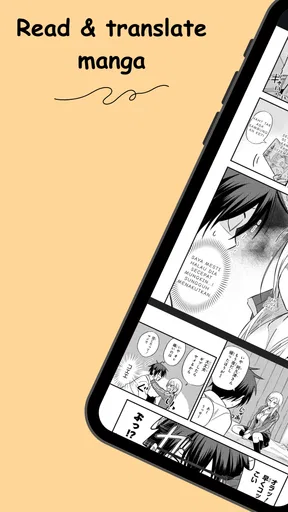
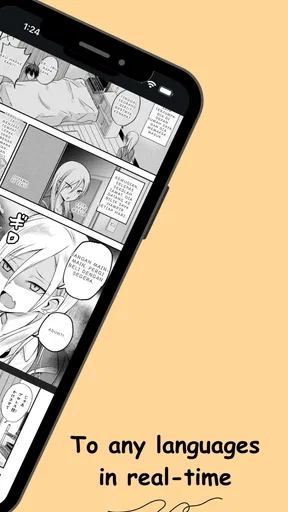
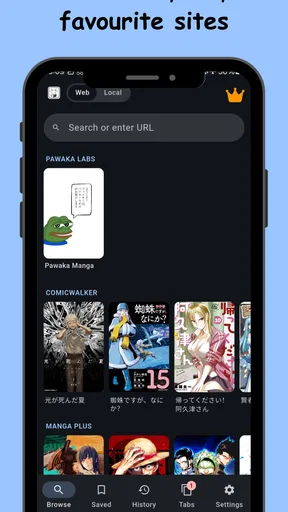
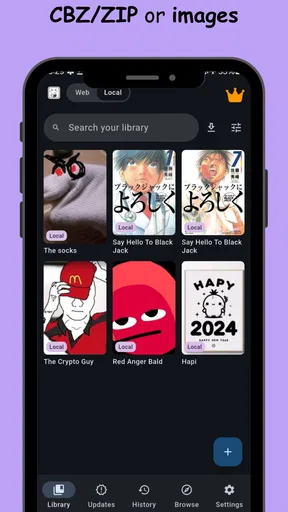
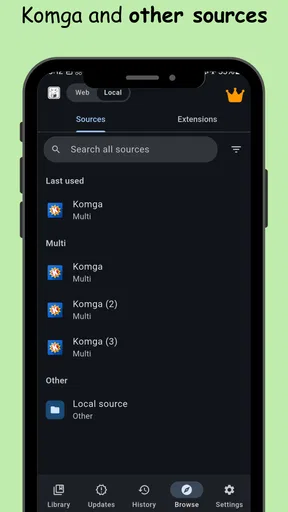
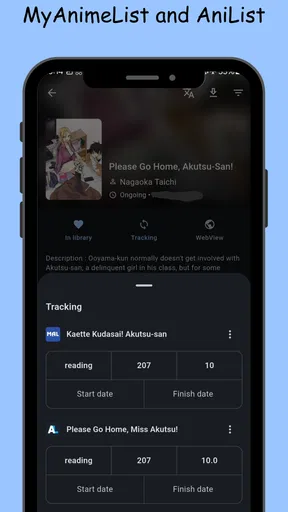
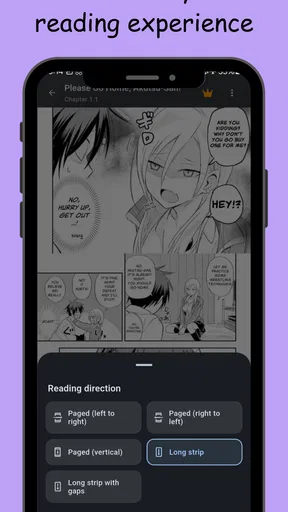
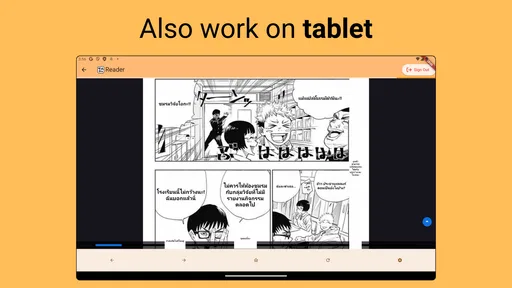
Our Review of Madomi: Read & Translate Manga
 Analysis by Appyee
Have you ever stumbled upon a manga in a language you don't speak and wished you could read it right away? Well, let me introduce you to Fakey - Manga Translator, the app that promises to break down those language barriers and let you dive into your favorite manga without a hitch. I've been flipping through its features and I'm here to give you the full lowdown.
First, a clear look at the cost
One useful detail to settle before downloading is the difference between free access and paid extras. Fakey is free to install, so trying its core experience does not require an upfront purchase. The app also offers in-app purchases, with items ranging from $7.99 to $79.99 each. That is a broad enough range that I would check the purchase screen carefully before tapping anything; the top end is a significant commitment for a casual reading aid.
I would treat the free starting point as a way to judge whether the workflow suits you, not as a promise that every use or feature will remain free. If you reach a purchase prompt, pause and check exactly what it unlocks and whether it is a one-time item or something else. The listed item prices alone do not answer that question, so I would not budget around an assumed subscription, page allowance, or unlimited access. For me, the sensible approach is simple: try the app first, then pay only if the specific benefit is clear and useful in your own reading routine.
What the translator is useful for
The core appeal is immediacy. Instead of stopping to search for a fan translation or manually copy unfamiliar text into a general-purpose translator, I can point the app at a page and get a quick reading aid in context. That can be especially handy for a short scene, a sign in the background, or a chapter that has not yet become easy to follow in a language I know.
That convenience is different from a polished localization. A camera-based translation can help me understand the gist, but it is not a substitute for an editor who can preserve jokes, character voice, wordplay, and cultural references. I use it as a bridge into a page, then rely on context when the wording feels odd. For someone learning a language, comparing the original bubbles with the translation can also prompt useful questions, though I would not treat every translated phrase as a lesson in correct grammar.
How it fits alongside other reading options
Compared with a regular camera or text translator, a manga-focused tool has the appealing goal of keeping the translated words connected to the artwork. That can make a page easier to scan than switching between a camera view and a separate block of translated text. On the other hand, a general translator may be a better fallback when a panel is crowded, the text is vertical or decorative, or you need to inspect a particular phrase closely.
It also occupies a different place from official digital editions. Those are the stronger choice when you want a carefully localized script and a seamless reading experience, while Fakey is more suited to curiosity and quick comprehension. If you already understand the source language, or if you only read professionally translated editions, its main advantage may not matter much. I see it as a practical side tool rather than a replacement for publishers, translators, or a dedicated manga library.
A small workflow that saves frustration
When I want a useful result, I frame one page at a time and keep the phone steady, with the camera as square to the page as I can manage. Before translating, I check that the bubble text is sharp and that a finger, reflection, or page fold is not covering a character. This is more than a cosmetic step: manga lettering can be compact, and a tiny blur may change what the app recognizes.
For a spread or a page with many overlapping effects, I would not expect one pass to explain everything. I first use the translation to follow the dialogue, then inspect any confusing bubble again with a tighter view or better lighting. Sound effects and stylized lettering deserve extra caution because their shapes are often deliberately distorted. If a line makes no sense, I compare it with the surrounding panels instead of assuming the whole scene is wrong; a single missed word can make an otherwise helpful translation seem less reliable.
Here is a realistic use: I am waiting for a friend at a café and want to understand a chapter from a book I already have, but several dialogue bubbles are in a language I cannot read. I can use the app for the parts that block the scene, keep the original art visible, and continue without turning the break into a long search for another edition. I would still save a confusing line for later rather than interrupting the whole chapter to chase a perfect translation. That balance—quick help without expecting literary precision—is where this kind of tool makes the most sense.
Who is most likely to get value
I think the best fit is a curious reader who already has manga pages to look at and wants a convenient way to understand unfamiliar text. It may also suit someone who samples comics from different languages before deciding what to follow, or a learner who enjoys checking how a phrase relates to a scene. In those cases, a fast, image-based aid can turn an otherwise inaccessible page into something understandable enough to enjoy.
I would be more cautious if your main goal is exact wording, publication-quality English, or dependable interpretation of jokes and wordplay. The app’s average rating is 3.2 from 115 ratings, and that modest reception is a reason to approach it with measured expectations rather than assuming every page will work flawlessly. It has 10K+ installs, which suggests readers are trying it, but popularity alone does not settle whether its translations will suit your material. Pawaka Labs lists it as a Comics app for Everyone, and its current version is 1.0.22; it was released on Jul 8, 2025. It requires Android 7.0 or later, so I would check device compatibility before planning to use it on an older phone.
The app is not the right choice if you need a complete, carefully typeset edition, or if you cannot tolerate checking a translation against the story when a phrase looks suspicious. A publisher’s edition is better for uninterrupted reading, and a general translator can be preferable when you want to copy, compare, or inspect a short passage rather than translate a whole page. Fakey’s appeal is narrower: getting enough meaning from manga artwork to keep moving.
Getting Started with Fakey
So, let’s dive right in. The first thing I noticed about Fakey - Manga Translator is how easy it is to get started. After a quick download from the app store, you’re greeted with a user-friendly interface that’s pretty intuitive. No need for a manual here; it’s all laid out nicely. The app supports a variety of languages, so you can translate from Japanese, Korean, Chinese, and more into English, or vice versa. This wide range is a big win for those of us who love indulging in international manga.
How It Works
Alright, so how does this magic happen? The app uses some clever AI to scan and translate the text in real-time. You simply snap a picture of the manga page you want to translate, and Fakey does its thing. Within seconds, you’re looking at a translated version of your manga. It’s almost like having a personal translator in your pocket.
What’s really cool is the app’s ability to maintain the original layout and style of the manga. It doesn’t just throw text on the screen; instead, it blends the translation seamlessly with the images. This feature keeps the reading experience as authentic as possible, which, for me, is a huge plus.
The User Experience
Using Fakey feels smooth and responsive. The app loads quickly and handles translations with impressive speed. There’s a bit of a learning curve, especially if you’re new to translation apps, but nothing too daunting. A couple of tries and you'll be navigating like a pro.
One thing I appreciated was the option to adjust the language settings easily. Sometimes, I switch between languages depending on what I’m reading, and Fakey makes this super convenient. Plus, the app offers a history feature where you can save your translations for later. So, if you’re like me and sometimes get distracted mid-chapter, you can always come back to where you left off.
Performance and Accuracy
Now, let’s talk about performance. The app performs well, but it’s not perfect. There are occasional hiccups, especially with slang or highly stylized text, where the translation might miss the mark. However, for standard text, it does a pretty solid job. I mean, it’s doing a lot of heavy lifting, so I can forgive the occasional slip.
From my experience, the app works best with high-quality images. If your manga page is a bit blurry, the translation might struggle. So, a tip from me: make sure your camera work is top-notch to get the best results. Also, in good lighting, the app’s accuracy improves significantly.
Room for Improvement
While I’m a fan of Fakey, there’s always room for improvement. I’d love to see more customization options in future updates, like font size adjustments or theme changes for the translated text. Additionally, while the app is generally stable, it occasionally crashes on older devices, which can be a bit frustrating.
Another feature that could enhance the app is voice translation. Imagine reading your manga while listening to the translation. It could open up a whole new way to enjoy these stories.
Final Thoughts
Overall, Fakey - Manga Translator is a nifty tool for manga lovers looking to explore stories from different cultures. While it’s not without its quirks, it offers a convenient way to break the language barrier and dive into manga from around the world. If you’re a manga enthusiast eager to understand your favorite stories without waiting for official translations, this app is definitely worth a shot.
Give it a try, snap that page, and let Fakey do the rest. Happy reading!
My verdict on whether it is worth trying
My recommendation is to start with the free download and judge it on the pages you actually want to read. The useful question is not whether a translation looks impressive in isolation, but whether it helps you follow a scene without breaking your rhythm. If it does, and a paid item clearly improves the way you use it, you can weigh that benefit against the stated price range. If the free experience already covers your occasional needs, there is no reason to spend just because purchase options exist.
I would not buy it on the assumption that it will replace a human translation or work equally well on every kind of lettering. The app is most convincing as a quick companion for curious readers, not as a definitive source for every line. Check the purchase details before paying, test it on clean pages from the material you care about, and keep a conventional translator or official edition in mind for difficult passages. That is the fair way to decide whether Fakey earns a place in your reading routine.
Verdict
Strengths of Madomi: Read & Translate Manga
- Intuitive interface for easy navigation.
- Supports multiple languages for translation.
- Quick translation for seamless reading.
- Offline mode available for convenience.
- Customizable settings for user preference.
Limitations of Madomi: Read & Translate Manga
- Limited free features in the basic version.
- Occasional inaccuracies in text translation.
- Ads can disrupt the reading experience.
- Requires a stable internet connection for updates.
- Some translations lack cultural context.
Similar Picks in This Category
View All
WEBTOON: Manga, Comics, Manhwa
NAVER WEBTOON4.6

MangaToon: Comic & Manga
MangaToon4.3

네이버 웹툰 - Naver Webtoon
NAVER WEBTOON4.3

Tapas – Comics and Novels
Tapas Entertainment Inc.4.2

Lezhin Comics - Daily Releases
LEZHIN ENTERTAINMENT3.3

WebComics - Webtoon & Manga
WEBCOMICS HOLDINGS HK LIMITED4.4
Frequently Asked Questions
What is Fakey - Manga Translator and how does it work?
Fakey - Manga Translator is an app designed to translate manga text from Japanese to various languages. Using advanced OCR (Optical Character Recognition) technology, it scans the text within manga panels and provides translations instantly. This allows users to enjoy manga in their preferred language without waiting for official translations.
Is Fakey - Manga Translator free to use?
Fakey - Manga Translator offers both free and premium versions. The free version allows users to translate a limited number of pages daily, while the premium version offers unlimited translations and additional features such as enhanced language support and ad-free experience. This makes it flexible for different user needs.
Which languages are supported by Fakey - Manga Translator?
The app supports several languages, including English, Spanish, French, German, and more. It aims to cover major languages, making it accessible to a global audience. The developers regularly update the app to include more languages based on user demand and feedback, enhancing its usability.
Does Fakey - Manga Translator require an internet connection?
While Fakey - Manga Translator primarily functions offline, an internet connection is required for initial setup and updates. The app downloads necessary language packs and updates, ensuring accurate translations. Offline functionality ensures that users can translate manga on the go, without needing a constant internet connection.
How accurate are the translations provided by Fakey - Manga Translator?
The app uses advanced AI to deliver high accuracy in translations, though some nuances may be lost due to the complexity of languages. Developers continually fine-tune the AI model for better precision. Users can also provide feedback to improve translation quality, making it a collaborative effort to enhance accuracy.
